The Liene M200 review centers on a portable 4×6 photo printer that can run from its built-in rechargeable battery or a power adapter.
It suits people who want to print phone photos without relying on their home Wi-Fi network.
Liene M200 Review Summary
The quick verdict

500+ ratings
Read Amazon ReviewsLiene M200
A fit for phone users who want full-size 4×6 dye-sublimation prints at home or while traveling, with a built-in battery and simple app editing.
- Dye-sublimation printing applies three primary color layers and a protective finishing layer to each photo.
- Prints photos in 4×6 format on glossy photo paper.
- Built-in rechargeable battery supports up to 40 prints per charge; the printer can also be powered by the included adapter.
- Built-in Wi-Fi hotspot connects compatible iOS, Android, laptop, and PC devices without relying on a home network.

Pros
- Battery power makes it easier to print away from a fixed outlet, with up to 40 prints per charge.
- The built-in hotspot offers a direct connection option when home Wi-Fi is inconvenient.
Consider before buying
- The included 20 sheets and one cartridge provide a modest starting supply for a printer intended to produce full-size photos.
- Printing and editing rely on an app-based workflow; buyers who prefer controls on the printer itself should check whether that approach suits them.
Read the full review summary
The M200 combines dye-sublimation printing with a built-in Wi-Fi hotspot, an app for basic edits, and a rechargeable battery rated for up to 40 prints per charge.
Those features make it practical for family gatherings, travel, or a home photo corner where a wall outlet or local network may not always be convenient.
Its main appeal is printing standard 4×6 photos directly from phones, laptops, or PCs, with support for up to five connected users. The compact footprint and magnetic top for storing the cassette help with setup and storage.
Buyers should plan around the included 20 sheets and one cartridge, and consider whether the stated battery capacity and app-based workflow match their typical print sessions.
The buying factors
Liene M200 Scorecard
Editorial scores reflect listed features and buyer fit; they are not laboratory measurements or customer ratings.
Print format
The 4×6 format works well for album prints, framing, and sharing keepsakes.
Print protection
Dye-sublimation prints receive a finishing layer designed to resist water, scratches, and fading.
Portability
The built-in battery supports up to 40 prints per charge, and the unit is designed to be compact and portable.
Connection flexibility
A built-in hotspot avoids dependence on a home network, and up to five users can connect at once.
App tools
The app offers basic edits, filters, and borders, which cover simple customization before printing.
Included supplies
The package includes 20 sheets and one cartridge, so frequent printing will require additional compatible supplies.
Key Features and Specifications of Liene M200
- Dye-sublimation printing applies three primary color layers and a protective finishing layer to each photo.
- Prints photos in 4×6 format on glossy photo paper.
- Built-in rechargeable battery supports up to 40 prints per charge; the printer can also be powered by the included adapter.
- Built-in Wi-Fi hotspot connects compatible iOS, Android, laptop, and PC devices without relying on a home network.
- Supports up to five simultaneous users, allowing friends or family to send prints from their devices.
- The companion app provides basic editing, filters, borders, and supply status notifications.
- Package includes 20 photo sheets, one ink cartridge, and a power adapter; a magnetic top provides a place to set the cassette after printing.
Pros and Cons of Liene M200
Pros
- Battery power makes it easier to print away from a fixed outlet, with up to 40 prints per charge.
- The built-in hotspot offers a direct connection option when home Wi-Fi is inconvenient.
- Standard 4×6 prints are a useful size for albums, frames, and sharing.
- The finishing layer is designed to help prints resist water, scratches, and fading.
- Up to five users can connect, making shared printing practical for small gatherings.
Consider before buying
- The included 20 sheets and one cartridge provide a modest starting supply for a printer intended to produce full-size photos.
- Printing and editing rely on an app-based workflow; buyers who prefer controls on the printer itself should check whether that approach suits them.
- The stated battery capacity is up to 40 prints per charge, so longer sessions away from power may call for planning around that limit.
Who Should Buy Liene M200?
Good fit
Consider the M200 if you want 4×6 keepsakes from phone photos and expect to print in more than one location. Its built-in battery and hotspot address two common setup constraints: finding an outlet and joining a local network.
The up-to-40-print capacity gives a useful reference point for planning a trip or event, though actual needs depend on how many photos you expect to print.
It also makes sense for households or small gatherings where several people may contribute pictures. The support for up to five connected users and app-based filters and borders make shared, lightly customized printing part of the intended workflow.
Check that the app-based setup fits your devices and that you are comfortable replenishing photo paper and cartridges as the included supplies run out.
Who should skip it
Skip it if your routine depends on printing large batches without pausing to manage supplies or recharge.
The included 20 sheets and stated battery capacity are better suited to personal or moderate shared sessions than to assuming uninterrupted, high-volume output.
It may also be a poor fit if you want a printer that works without a smartphone or computer app.
Before buying, consider how you prefer to choose and prepare photos, since the described editing and supply notifications are in the companion app.
What the Liene M200 Means for Everyday Photo Printing
A portable setup with a practical limit
The built-in battery gives the M200 flexibility that a cord-only setup would not provide, and the stated capacity of up to 40 prints can help buyers judge whether it fits an outing or gathering.
For longer sessions, bring the power adapter or plan charging around your use rather than treating the battery figure as unlimited capacity.
A direct hotspot can simplify connection
The built-in Wi-Fi hotspot is useful when a home router is unavailable or inconvenient.
It also provides a shared connection point for up to five users, although each person still needs a compatible device and the companion app workflow to send and customize photos.
The print finish favors keepsakes
Dye-sublimation builds an image through three color layers and adds a protective layer on top.
That design is intended to help finished photos resist water, scratches, and fading, which is appealing for prints handled or displayed over time; it does not replace sensible care and storage.
Think through the supply routine
The included 20 sheets and one cartridge let a buyer get started, while the app can notify users when paper or a cartridge runs out.
For regular printing, consider how quickly your household might use the initial supplies and check replacement availability and compatibility before committing to a refill routine.
Alternatives to Liene M200
Desktop Photo Printers alternative

19,000+ ratings
Read Amazon ReviewsKODAK Dock Plus 4×6 Photo Printer
Choose the M200 if battery-powered printing and a direct hotspot matter for travel or flexible placement.
The Dock Plus is a better match if you expect to print at a desk and value its integrated phone dock and larger included paper supply.
- The KODAK Dock Plus is designed as a powered home printing station, with an integrated smartphone dock that can charge a phone during printing.
- It uses 4PASS dye-sublimation printing, connects by Bluetooth, and includes 50 sheets.
- The Liene M200 is designed for portable use, with a built-in rechargeable battery and hotspot connection.
Battery-focused alternative
4,000+ ratings
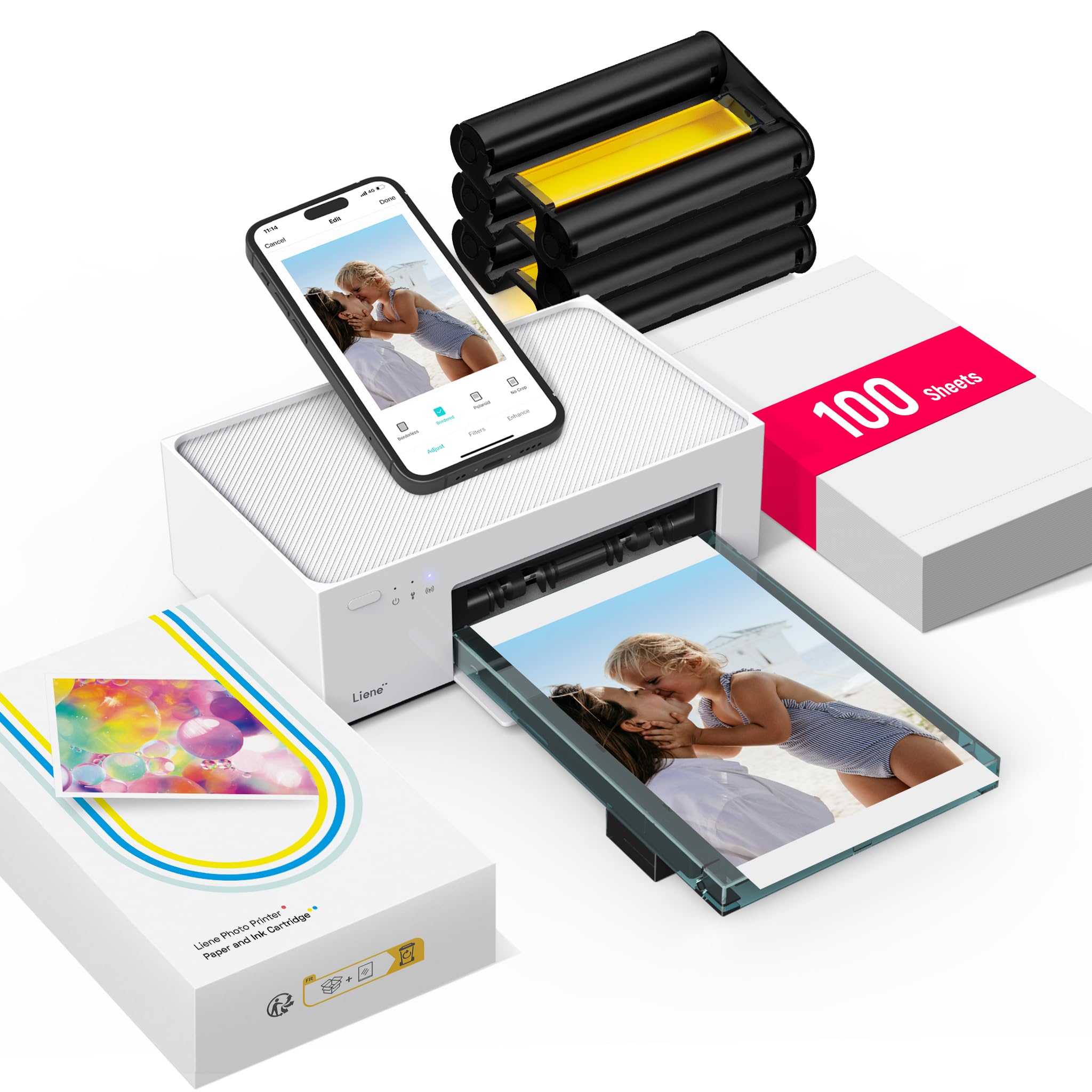
Read Amazon ReviewsLiene M100 4×6 Photo Printer
Consider the M100 if you expect to print frequently at home and prefer a larger supply bundle.
The M200 is the more suitable option when the documented built-in battery is central to your plans; compare the two based on whether portability or a bigger starting supply matters more.
- The M100 uses a built-in Wi-Fi hotspot and supports up to five simultaneous connections, like the M200, and its described package includes 100 sheets and three cartridges.
- Its description does not specify a built-in battery.
- The M200 includes a built-in battery rated for up to 40 prints per charge and comes with 20 sheets and one cartridge.
Is Liene M200 Worth It?
The Liene M200 is worth considering for phone users who want portable 4×6 photo printing, a direct hotspot connection, and app-based editing.
Its built-in battery and shared-user support make it adaptable for travel and gatherings, while the finishing layer is designed to protect prints from common wear.
Buy it if the battery-powered workflow suits your routine and you are comfortable replenishing paper and cartridges after the included starter supplies.
If most printing will happen at a desk, compare the home-focused dock option; if you print often, weigh the larger supply bundle in the Liene M100 against the M200’s battery.
Your review at a glance
500+ ratings
Read Amazon ReviewsLiene M200
A fit for phone users who want full-size 4×6 dye-sublimation prints at home or while traveling, with a built-in battery and simple app editing.
- Dye-sublimation printing applies three primary color layers and a protective finishing layer to each photo.
- Prints photos in 4×6 format on glossy photo paper.
- Built-in rechargeable battery supports up to 40 prints per charge; the printer can also be powered by the included adapter.
- Built-in Wi-Fi hotspot connects compatible iOS, Android, laptop, and PC devices without relying on a home network.